Teya has emerged as one of the fastest-growing card machine companies in the EU since launching in 2019, but does rapid growth translate to the right fit for your business? We’ve seen countless payment processors promise seamless solutions, yet the devil is often in the details.
Teya offers comprehensive payment solutions designed specifically for small and medium-sized businesses across the UK, including card machines, tap-to-pay technology, and integrated business banking services. With processing fees ranging from 1.29% to 1.9% per transaction and next working day settlements, the offer looks competitive on paper.
In this honest review, we’ll examine what Teya actually delivers, break down the teya card machine features, analyze pricing structure, and help you determine if it matches your business needs.
What Teya Offers: A Complete Overview
Card Payment Processing Options
Teya accepts all major payment methods including Visa, Mastercard, AMEX, Apple Pay, Discover Network, Diners Club International, Google Pay, Samsung Pay, Maestro, Visa Electron, and V Pay. The teya card machine takes just five minutes to set up once delivered, so you can start accepting payments immediately.
Settlement flexibility sets Teya apart. You get three options: Instant Settlements where funds arrive in seconds, Everyday Settlements with daily payouts including weekends, or Business Day Settlements for next working day transfers. Instant Settlements work only with the Teya Business Account, while other options let you settle to any registered bank account.
Besides physical terminals, Teya offers payment links that let you accept payments without a website. You can create and send links via email, SMS, or messaging apps directly from your terminal, app, or portal. The customer clicks the link and completes payment through a hosted checkout page.
For mobile flexibility, Tap to Pay on Android converts your phone into a card machine. This accepts Visa and Mastercard payments plus Apple Pay and Google Pay, though American Express isn’t currently supported. The transaction fee is 1.59% if you use only Tap to Pay on Android. The feature works on Android 12 or above with NFC capability and has no transaction limits.
Business Account and Banking Features
Opening a Teya Business Account costs nothing and carries no account fees. You receive free domestic money transfers and direct debit setup, plus a free Teya card that earns 0.5% cashback on all spending[13]. This cashback is unlimited with no spending caps or category restrictions.
The account functions like a regular bank account for paying suppliers, transferring money, and monitoring cash flow. You can create multiple cards with individual spending limits, including up to 15 virtual cards. Free ATM withdrawals are available 30 times monthly, then £0.50 per withdrawal.
One detail matters: this is an e-money account, not a traditional bank account. Funds are safeguarded according to legal requirements, but the UK’s Financial Services Compensation Scheme (FSCS) doesn’t apply.
Additional Business Tools and Services
Teya integrates with over 50 EPOS systems to simplify operations. The Teya app and web portal provide real-time sales tracking, detailed transaction breakdowns, and settlement monitoring from your phone or computer.
Cash Advance offers flexible financing up to £1.5 million for businesses accepting payments for at least four months. Repayments happen through a fixed percentage of daily card sales with one fixed fee and no interest charges.
You can also enable customer tipping with tap functionality, tracking tip amounts in real-time through the app.
Teya Card Machine: Features and Performance
PAX A920Pro Terminal Specifications
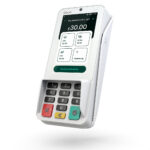
The teya card machine runs on the PAX A920Pro, available in two configurations. The 5.5-inch display version operates on Android 10 with an ARM Cortex A53 Quad-Core processor, 1GB DDR4 RAM, and 8GB storage. The larger 6.56-inch model runs Android 14 with a faster dual-core Cortex A75 plus six-core Cortex A55 processor.
Both versions share core features: a 5150mAh battery, 5MP rear camera, fast thermal printer delivering 40 lines per second, and connectivity through 4G, WiFi, and Bluetooth. The printer accepts standard 58mm thermal paper rolls. Weight sits at 390 grams including battery.
Payment Methods and Transaction Process
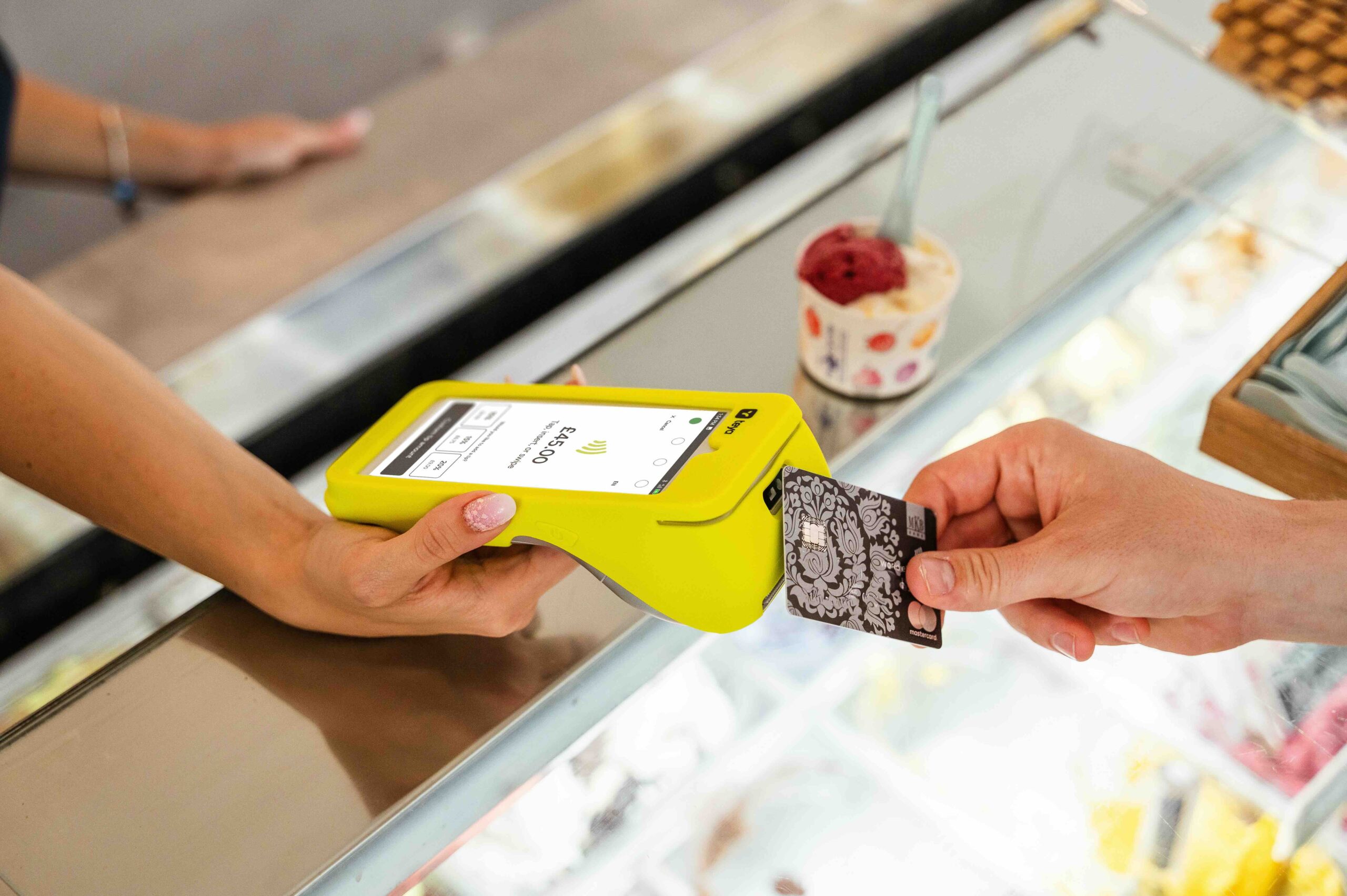
The terminal handles contactless, chip and PIN, and magnetic stripe payments. For contactless transactions, customers present their card to the reader at the top of the terminal, which reads cards placed within roughly one inch. The process connects and completes instantly without PIN entry for amounts under £100.
Chip and PIN transactions require full card insertion with metallic contacts facing up. Customers enter their PIN after the terminal processes the card. Magnetic stripe serves as fallback when chips prove unreadable, requiring a left-to-right or right-to-left swipe.
Mobile Tap-to-Pay Alternative
Teya Tap converts Android phones into payment terminals without additional hardware. The feature requires Android version 12 or above with NFC capability. Open the Teya app, enter an amount, and customers tap their card on the phone’s back.
The solution accepts Visa and Mastercard plus Apple Pay and Google Pay, though American Express isn’t supported. Transactions above £100 prompt PIN entry directly on your phone screen.
Integration with Point of Sale Systems
Teya connects with over 50 EPOS systems. The pairing process involves opening your EPOS settings, selecting Teya from payment providers, and entering the IP address or pairing code displayed on your terminal. Run a 1p test transaction before actual service begins to verify the connection works properly.

Pricing Structure and Transaction Costs
Monthly Plans vs Pay Once Options
Teya structures pricing around four plans matched to business growth stages. The Start plan charges £0 monthly with 1.69% transaction fees for consumer cards. Boost drops the rate to 0.99% for a £19 monthly fee. Thrive offers the lowest fees at 0.59% with a £39 monthly charge, though rates can reach as low as 0.50% for consumer cards. Custom pricing serves high-volume merchants with tailored rates.
Hardware costs vary by plan. With Boost, your first device is half price. Thrive includes your first device free and your second at half price. You can switch plans anytime without penalties.
Transaction Fees Breakdown
American Express, business, and international cards carry a 1.90% rate across all plans. Teya uses blended rates by default, combining all processing costs into one flat percentage. This covers interchange fees, card scheme charges, and Teya’s markup. If processing costs exceed your rate, Teya absorbs the difference.
Unblended rates separate acquirer markup, card scheme fees, and interchange fees for detailed cost visibility.
Hidden Costs to Consider
One charge catches merchants off guard: a £29.99 fee applies when monthly card turnover falls under £2,500. Beyond that, Teya claims no hidden charges, PCI compliance fees, or lock-in contracts.
How Teya Pricing Compares to Competitors
SumUp operates at a flat 1.69% with no monthly fees. However, as turnover grows, Teya’s tiered plans become more cost-effective than flat-rate competitors.
Who Should Choose Teya (and Who Shouldn’t)
Best Fit Business Types
Small physical retailers gain most from Teya’s model. Corner shops, hairdressers, cafés, and independent retail businesses fit the target profile. Most small-to-medium enterprises are accepted, but charities cannot apply. High-risk businesses and online-first companies don’t match Teya’s service structure. The platform emphasizes physical presence, so purely digital operations should look elsewhere.
Deal Breakers and Limitations
Fund holding represents the biggest concern. Multiple merchants report funds withheld for 180 days during account reviews. One business owner described £7,500 held for six months without valid explanation. The app fails frequently with users reporting 20+ daily login attempts. Teya can delay settlements when suspecting fraud or anticipating chargebacks.
Customer Support Experience
Support operates via telephone, WhatsApp, email, and live chat weekdays between 9am and 5pm. No out-of-hours assistance exists currently. Faulty terminals get free replacement next working day if reported before 3pm. However, customer reviews split sharply. Some praise quick setup and professional service, while others complain about ignored emails and unhelpful phone representatives[172].
Contract Terms and Exit Flexibility
You get 30 days to terminate without penalties for full refund. Membership plans cancel anytime through support channels. Early termination on rental contracts triggers remaining monthly fees plus cancelation charges[202]. Return terminals within seven business days or face additional costs[202].
Conclusion
Teya delivers competitive rates and quick setup that work well for small physical retailers. The business account with unlimited cashback adds genuine value. However, the fund holding issues and app reliability problems we’ve seen reported are concerning enough to warrant caution.
If you process over £2,500 monthly and need next-day settlements, Teya’s worth considering. Just ensure you have alternative payment methods ready in case of account review delays. For online-only businesses, look elsewhere.